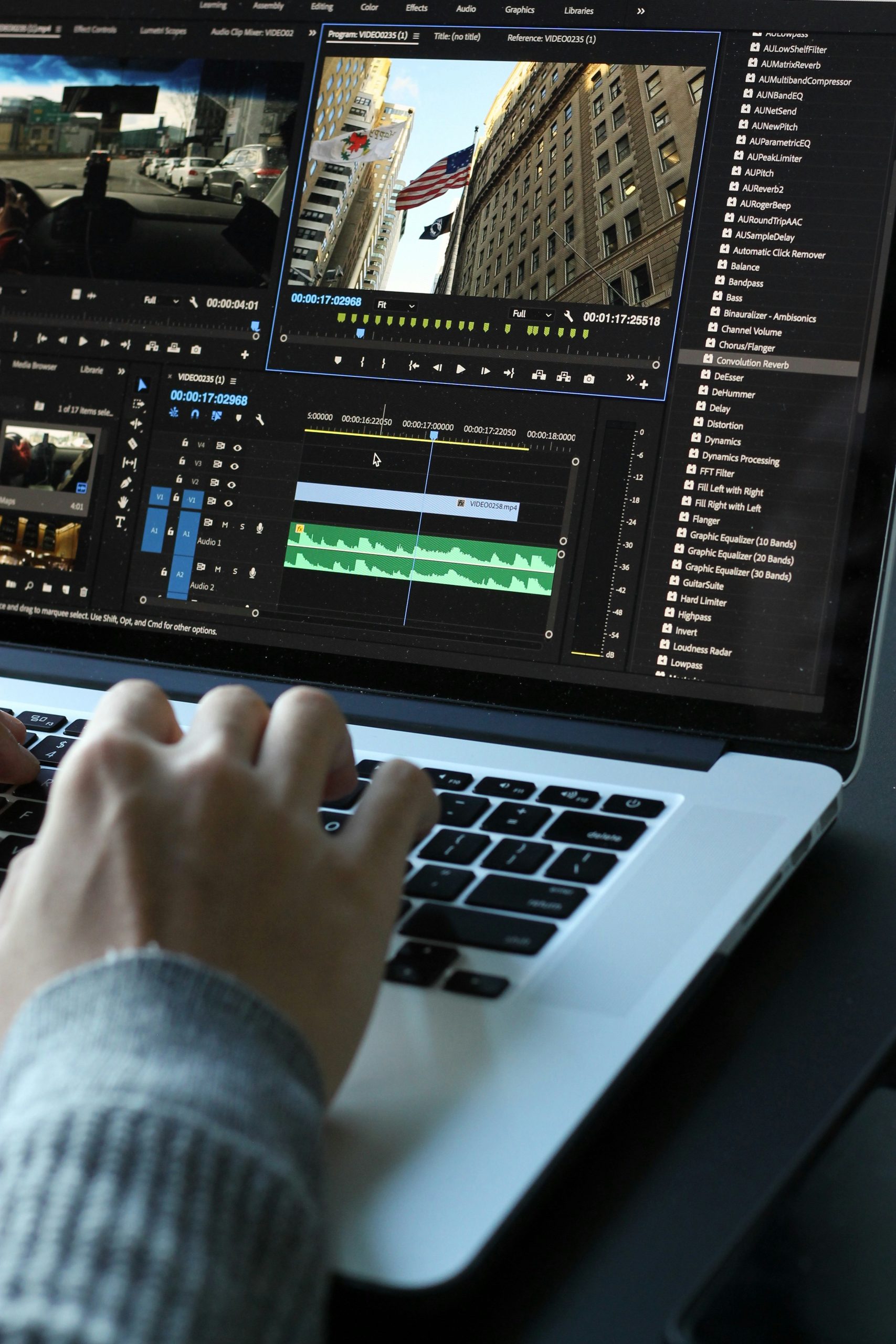
Creating a good video once meant dealing with cameras, lighting, microphones, editing software, actors, locations, and, above all, a lot of time.
Today, however, that process looks very different.
With the right AI video creation tool, you can begin with a simple idea, write a prompt or script, and turn it into a finished video without building an entire production team. Some AI video tools can generate cinematic footage from text, while others create realistic digital presenters, translate videos into different languages, turn articles into social clips, or help edit existing footage.
Even so, not every AI video generator is equally useful.
In fact, one of the biggest challenges in 2026 is having too many options. A quick search for an AI video creation tool can leave you staring at dozens of platforms, each promising professional-quality results.
So, the real question is not simply, “Which AI video generator is the best?”
Instead, it is this:
Which AI video creation tool is best for the kind of videos you actually want to make?
That distinction matters because a tool designed for cinematic footage may perform poorly for business presentations. Likewise, an excellent AI avatar platform may be completely unsuitable for creating movie-style scenes.
For that reason, this guide breaks down the most useful AI video tools in 2026, what each one does best, where they fit into a modern content workflow, and how to choose the right option without wasting money.
What Is an AI Video Creation Tool and How Does It Work?
An AI video creation tool is software that uses artificial intelligence to generate, edit, or transform video content.
Rather than producing every element manually, you provide the software with instructions, assets, or a script, and the AI handles part of the production process.
Depending on the platform, you may be able to:
- Generate video from a text prompt
- Turn an image into an animated video
- Create an AI presenter from a script
- Generate voiceovers
- Automatically add subtitles
- Translate a video into another language
- Remove or replace backgrounds
- Create B-roll footage
- Turn long videos into short clips
- Generate social media videos
- Edit footage using text commands
- Create product demonstrations
- Produce training and educational videos
However, the technology behind these platforms varies considerably.
Some use text-to-video AI, where a written description is transformed into a video clip. Others focus on AI avatars and digital presenters. Meanwhile, certain platforms are primarily AI-powered editing tools rather than pure video generators.
Because of these differences, comparing AI video tools solely by how realistic their demos look can be misleading.
After all, a beautiful cinematic clip does not necessarily help someone who needs to produce 50 employee training videos.
Why AI Video Creation Is Becoming So Popular
The appeal of AI video software is fairly simple: it removes much of the friction between having an idea and producing something people can watch.
Traditionally, video production could involve:
- Planning
- Scriptwriting
- Casting
- Filming
- Lighting
- Audio recording
- Editing
- Color correction
- Subtitling
- Voiceover
- Exporting
- Reformatting for different platforms
AI does not eliminate every one of these steps. Nevertheless, it can significantly reduce the amount of manual work involved.
For a small business owner, this could mean creating product videos without hiring a production crew.
For a YouTuber, it could mean producing B-roll much faster.
A marketer, on the other hand, might use AI to create several versions of the same advertisement.
Similarly, a student could turn a presentation or research project into a more engaging video.
For social media creators, AI can also help transform one long video into several short-form clips.
Ultimately, the biggest advantage is not necessarily that AI makes video production effortless.
Instead, AI makes experimentation cheaper and faster.
You can test an idea, see what works, adjust it, and create another version without rebuilding the entire production process from scratch.
10 Best AI Video Tools in 2026
There is no single universal winner because different platforms are designed around different workflows.
In 2026, AI video generators generally fall into several categories, including cinematic text-to-video, AI avatars, business training, editing, and social media content.
Here is a practical breakdown:
| AI video tool | Best for | Main strength | Ideal user |
|---|---|---|---|
| Runway | Cinematic AI video | Creative control and generation | Filmmakers and creators |
| HeyGen | AI avatar videos | Realistic presenters and localization | Creators and marketers |
| Synthesia | Business videos | Training and corporate content | Companies and educators |
| Adobe Firefly | Creative production | Generation and editing in one ecosystem | Designers and creative teams |
| Kling AI | Generative video | Realistic motion and experimentation | Creators |
| Pika | Short creative clips | Fast visual experimentation | Social creators |
| Luma | Cinematic concepts | Motion and visual ideation | Creators and designers |
| InVideo AI | Social content | Script-to-video workflow | Marketers and creators |
| Descript | AI video editing | Text-based editing | Podcasters and content teams |
| VEED | Online video creation | Editing and social publishing | Social media users |
Rather than treating this table as a ranking from “best” to “worst,” think of it as a map.
Your ideal AI video creation tool depends entirely on where you want to go.
Runway: Best for Creative and Cinematic AI Video
Runway remains one of the most interesting choices for creators who want to generate original visual footage rather than simply place an AI presenter on screen.
Its current Gen-4.5 model supports both text-to-video and image-to-video generation. In addition, the model is designed to handle more detailed instructions involving camera choreography, scene composition, and timing.
As a result, Runway is particularly attractive for:
- Short films
- Advertisements
- Concept videos
- Cinematic B-roll
- Music videos
- Visual storytelling
- Product concepts
- Creative experiments
A useful way to think about Runway is as a creative production tool, not just an AI video maker.
You describe the scene, generate a clip, review the result, and then refine it.
That final step is especially important.
AI video generation rarely produces exactly what you imagined on the first attempt. Therefore, the ability to refine prompts and regenerate variations is just as important as the quality of the first output.
HeyGen: Best for AI Avatars and Marketing Videos
If your goal is to create videos featuring a person speaking directly to the viewer, an AI avatar platform may make more sense than a cinematic text-to-video generator.
This is where HeyGen stands out.
HeyGen focuses heavily on AI presenters, digital avatars, lip synchronization, and multilingual video creation. Its platform also emphasizes consistent digital identities and the ability to create videos featuring AI versions of presenters.
Because of that, HeyGen is useful for:
- Marketing videos
- Product explainers
- Social media videos
- Educational content
- Sales presentations
- Training
- Multilingual content
- Personal-brand videos
Imagine, for example, a company that wants to explain the same product in several languages.
Instead of filming separate presenters for every market, an AI avatar workflow can significantly reduce the production burden.
At that point, AI video creation becomes more than a novelty. It becomes a practical business tool.
Synthesia: Best for Training and Business Videos
Synthesia occupies a different part of the AI video market.
Rather than focusing mainly on cinematic text-to-video generation, it is built around professional presenter-style videos.
As a result, it is particularly useful for organizations producing:
- Employee onboarding
- Training materials
- Internal communications
- Educational lessons
- Product tutorials
- Corporate presentations
- Customer education
This makes Synthesia especially relevant for enterprise learning and development, where business-oriented workflows matter more than cinematic effects.
The lesson here is important.
A professional-looking video is not always about dramatic visuals.
Sometimes, the best video is simply a clear presenter explaining something in a way that employees or customers can understand.
For that type of project, a specialized AI avatar platform may be far more efficient than a general-purpose video generator.
Adobe Firefly: Best for Creative AI Video Workflows
Adobe Firefly AI Video Generator is particularly interesting because it sits inside a much broader creative ecosystem.
Its video tools can generate clips using text prompts and images, while the wider Adobe workflow allows creators to combine generated content with other creative assets.
Among other things, Firefly can be useful for:
- Product visuals
- B-roll
- Storyboards
- Social content
- Concept visualization
- Marketing videos
- Creative experimentation
- Image-to-video animation
Another major advantage is that Firefly operates as part of a broader creative workspace rather than as a single-purpose video generator.
For creators already working inside Adobe’s ecosystem, that integration can make a noticeable difference.
Instead of moving between multiple disconnected platforms, they can keep more of their creative workflow in one place.
Kling AI: Best for Realistic Generative Video
Kling has attracted attention for producing increasingly realistic generative video, especially when users want more complex motion and cinematic-looking scenes.
For that reason, it is worth considering for:
- Character movement
- Cinematic scenes
- Short-form storytelling
- Product concepts
- Visual effects
- Social media clips
Still, one important thing to remember is that generative video models change very quickly.
A platform that appears unbeatable today could be overtaken by another model a few months later.
Therefore, it is usually smarter to choose your AI video creation tool based on your workflow rather than becoming too attached to one specific model.
Pika: Best for Fast Social Media Content
Pika is another strong option if your priority is fast, creative video experimentation.
Instead of approaching AI video as a complete replacement for traditional filmmaking, Pika is particularly appealing for creators who want to turn ideas into short visual clips.
It can work well for:
- TikTok
- Instagram Reels
- YouTube Shorts
- Memes
- Visual effects
- Short promotional clips
- Creative experiments
The biggest advantage of tools in this category is speed.
After all, you do not always need a five-minute production.
Sometimes, all you need is a visually interesting five-second clip that makes someone stop scrolling.
Luma: Best for Visual Storytelling
Luma is another name that frequently appears in discussions around AI-generated video.
Its appeal is largely creative. It allows users to generate visual sequences, experiment with movement, and turn concepts into footage without relying entirely on traditional filming.
For designers and creators, that can be particularly useful during the early stages of a project.
Instead of asking, “How do I film this?”
You can ask:
“What would this idea look like if I could generate it?”
That shift is one of the most interesting consequences of AI video technology.
Increasingly, the biggest barrier is moving away from production limitations and toward imagination.
InVideo AI: Best for Social Media Marketing
Not everyone wants to generate cinematic scenes from scratch.
Many creators simply want to type an idea and receive something close to a finished social media video.
That is where platforms such as InVideo AI become useful.
A typical workflow might look like this:
- Enter your topic.
- Provide the desired tone.
- Generate a script.
- Select or generate visuals.
- Add narration.
- Add subtitles.
- Edit the result.
- Export the video for social media.
For marketers who need to produce content at scale, this type of workflow can be particularly valuable.
If you publish several pieces of content every week, even saving 30 minutes on each video can add up quickly.
Descript: Best for AI Video Editing
There is an important difference between AI video generation and AI video editing.
Descript is a good example of the second category.
Instead of creating an entire movie from a prompt, an AI-powered editor can help you manipulate footage you already have.
For example, you might record a podcast and then use AI-assisted editing to:
- Remove unnecessary sections
- Correct transcripts
- Find interesting moments
- Create short clips
- Add captions
- Clean up the presentation
For podcasters, YouTubers, and content teams, this can be more valuable than generating completely synthetic footage.
In other words, you do not always need an AI video generator.
Sometimes, what you really need is an AI video editor.
VEED: Best for Simple Online Video Creation
VEED is another useful option for creators who want an accessible browser-based video workflow.
Rather than requiring a complicated editing setup, online platforms can bring several useful features together, including:
- Video editing
- Captions
- Templates
- Social media formatting
- AI-assisted creation
- Voiceovers
- Basic visual effects
This makes a tool like VEED particularly appealing to creators who want to produce and publish content without learning a complicated professional editing suite.
What Features Should You Look for in an AI Video Generator?
AI video platforms often rely on impressive demonstrations to attract attention.
However, flashy demos do not necessarily tell you whether a tool is useful in your everyday workflow.
Before paying for an AI video creation tool, consider the following features.
Output Quality
Naturally, quality matters.
Still, you should not judge a platform from one promotional demo.
Instead, generate several different types of clips and look for:
- Realistic movement
- Consistent faces
- Natural hands
- Stable objects
- Good lighting
- Prompt accuracy
- Smooth camera movement
- Consistency between shots
In the end, the best tool is the one that consistently produces usable results, not the one with the most impressive single example.
Ease of Use
A powerful platform can still be frustrating if it takes 20 minutes just to understand how to create one video.
For that reason, look for:
- Simple interfaces
- Clear controls
- Prompt guidance
- Templates
- Easy editing
- Easy exporting
- Good asset management
The easier the platform is to use, the more likely you are to build it into your regular workflow.
Editing Capabilities
Generation is only half of the job.
Eventually, you will probably want to:
- Trim clips
- Add music
- Add captions
- Change aspect ratios
- Add logos
- Replace scenes
- Adjust timing
- Add voiceovers
Therefore, an AI video creation tool with strong editing capabilities can reduce the need to jump between multiple applications.
Character and Scene Consistency
This is one of the most important features people overlook.
Imagine creating a video series with the same character.
If the character’s face changes dramatically between scenes, the result immediately feels artificial.
For that reason, character consistency, style consistency, and visual continuity are becoming increasingly important in professional AI video workflows.
Commercial Usage Rights
If you are creating videos for a business, do not assume that every AI-generated asset comes with the same commercial rights.
Before publishing paid advertising, branded content, or client work, check:
- Commercial-use terms
- Ownership rules
- Stock asset licensing
- Voice rights
- Avatar rights
- Model-specific restrictions
This is especially important for businesses and creators producing work for clients.
How to Choose the Right AI Video Tool
Instead of asking which platform has the highest rating, start with your actual goal.
Your ideal tool should match the kind of content you want to produce.
Best AI Video Tools for YouTube
For YouTube, look for:
- Strong editing
- Voiceover support
- B-roll generation
- Captions
- Long-form workflow
- Thumbnail and social repurposing
In many cases, a combination of AI generation and AI editing may work better than relying on one platform for everything.
Best AI Video Tools for TikTok and Reels
For short-form social media, prioritize:
- Vertical video
- Fast generation
- Templates
- Captions
- Short clips
- Trend-friendly effects
- Easy resizing
Speed matters because social content moves quickly.
Best AI Video Tools for Business
For business use, focus on:
- Professional avatars
- Branding
- Collaboration
- Translation
- Templates
- Security
- Administration
- Corporate integrations
This is where platforms such as Synthesia and HeyGen can make more sense than cinematic generators.
Best AI Video Tools for Filmmakers
Filmmakers should pay close attention to:
- Camera control
- Character consistency
- Image-to-video
- Text-to-video
- Visual continuity
- High-quality exports
- Creative iteration
For this kind of workflow, Runway is particularly relevant.
Best AI Video Tools for Beginners
Beginners should avoid overcomplicating the process.
A simple workflow is often enough:
idea → script → visuals → voice → captions → export
Once you understand the basics, you can gradually move toward more advanced generative video models.
How to Write Better AI Video Prompts
The quality of your prompt can have a major impact on the result.
For example, instead of writing:
A man walking through a city.
You could write:
A young man in a dark jacket walks through a busy downtown street at night, neon signs reflecting on wet pavement, cinematic lighting, slow tracking camera, shallow depth of field, realistic movement.
You do not need to make every prompt extremely long.
Instead, focus on giving the AI useful information.
A strong video prompt can include:
- Subject: What is being shown?
- Action: What is happening?
- Location: Where is it happening?
- Camera: How should the camera move?
- Lighting: What should the scene look like?
- Mood: What should the viewer feel?
- Style: Realistic, cinematic, animated, documentary, and so on
- Composition: Close-up, wide shot, overhead shot, and similar framing
In general, text-to-video prompts benefit from describing both the visual scene and the desired movement. By contrast, image-to-video prompts often work better when they focus more heavily on motion.
Why Your First AI-Generated Video May Look Bad
This is something every beginner should understand.
AI video generation is not magic.
Your first clip may contain:
- Strange hand movements
- Unnatural facial expressions
- Objects appearing or disappearing
- Characters changing clothing
- Incorrect text
- Weird physics
- Unwanted camera movement
Even so, that does not automatically mean the platform is bad.
AI video creation is often an iterative process.
First, generate a clip.
Next, review it.
Then, change the prompt.
After that, generate another version.
If necessary, adjust the reference image and try again.
The creators who get the best results are not always the people who write one perfect prompt.
More often, they are the people who know how to refine an imperfect result.
The Best AI Video Creation Workflow
If you want consistently better results, do not ask an AI video generator to create your entire project in one step.
Instead, break the project into smaller pieces.
Step 1: Start With the Idea
Decide what the viewer should understand or feel.
Step 2: Write the Script
Keep the language natural and conversational.
Step 3: Divide the Script Into Scenes
Rather than relying on one long generation, identify the individual shots you need.
Step 4: Create Reference Images
If your platform supports image-to-video generation, a strong reference image can help establish a consistent visual direction.
Step 5: Generate Individual Clips
Create short sequences instead of relying on one massive generation.
Step 6: Edit Everything Together
Arrange the clips in your preferred editor.
Step 7: Add Voice and Music
Sound can have a surprisingly large effect on how professional a video feels.
Step 8: Add Captions
This is especially important for social media, where many viewers watch videos without sound.
Step 9: Review the Final Video
Look for visual inconsistencies, awkward cuts, and factual mistakes.
Step 10: Export Different Versions
Create vertical, square, or horizontal versions depending on where the content will be published.
Overall, this workflow gives you much more control than simply pressing “generate” and accepting whatever comes out.
What AI Video Creation Still Can’t Replace
The rapid progress of AI video can make it tempting to believe traditional production is finished.
It is not.
AI can generate impressive visuals, but human judgment remains extremely important.
Someone still needs to decide:
- What the story is
- Who the audience is
- Why the video matters
- What should be shown
- What should be removed
- Whether the information is accurate
- Whether the final video feels authentic
A technically impressive video can still be boring.
Meanwhile, a simple video with a strong story can easily outperform it.
That is why the most effective approach is not necessarily AI instead of humans.
More often, it is AI plus human creativity.
Ethical Considerations When Using AI Video Generators
As AI video becomes more realistic, creators need to think more carefully about responsible use.
One of the biggest concerns is likeness.
Creating a realistic video of someone saying or doing something they never actually said or did can create serious problems.
Creators should be especially careful with:
- Real people’s faces
- Celebrity likenesses
- Voice cloning
- Political content
- Fake news
- Misleading advertisements
- Copyrighted characters
- Non-consensual synthetic media
At the same time, AI-generated content can blur the line between reality and fiction.
For that reason, some platforms are introducing provenance and content-identification technologies to help show when media has been created or modified using AI.
The broader lesson is simple:
Just because AI can generate something does not mean you should publish it without context.
Is AI Video Creation Worth It in 2026?
For most creators and businesses, yes—but only when it solves a real problem.
An AI video creation tool is particularly valuable when you need to produce:
- More content
- More quickly
- With fewer resources
- In multiple languages
- Across several platforms
- Without traditional filming for every piece
However, it becomes less useful when you expect AI to produce a flawless feature-length production with no human involvement.
The technology is incredibly capable, but today’s strongest workflows still rely on human direction, editing, and judgment.
Which AI Video Creation Tool Should You Choose?
If you are still unsure, here is the simplest way to decide.
Choose Runway if your priority is creative and cinematic AI-generated footage.
Choose HeyGen if you want AI presenters, avatars, or multilingual marketing content.
Choose Synthesia if your main goal is business training and professional instructional videos.
Choose Adobe Firefly if you want AI video generation connected to a broader creative workflow.
Choose Kling if you are interested in experimenting with realistic generative video.
Choose Pika if you primarily need short, creative social clips.
Choose Luma if you are focused on visual experimentation and storytelling.
Choose InVideo AI if you want a straightforward script-to-social-video workflow.
Choose Descript if you already have footage and want AI-assisted editing.
Choose VEED if you want an accessible browser-based workflow for social content.
Ultimately, the best AI video creation tool is not necessarily the most advanced model.
It is the one that makes your particular workflow easier.
AI Video Creation Tool: Final Thoughts
Video creation is changing quickly.
A few years ago, producing professional-looking video generally required specialized equipment, software, and people. Today, a creator with a laptop can generate footage, create an AI presenter, produce voiceovers, add captions, and publish a finished video without ever stepping in front of a camera.
That is a major shift.
Still, the technology itself is not the most exciting part.
The real opportunity comes from what happens when the cost and difficulty of experimentation begin to fall.
A small business can test five advertising ideas instead of one.
A student can turn a difficult concept into an engaging visual explanation.
Meanwhile, a YouTuber can create B-roll without spending hours searching through stock libraries.
A global company can adapt the same message for multiple languages.
Likewise, a filmmaker can visualize an idea before spending money on production.
That is where an AI video creation tool becomes genuinely powerful.
The smartest approach in 2026 is not to chase every new AI video generator that appears.
Instead, choose one tool that matches your needs, learn how to prompt it well, build a repeatable workflow, and keep human creativity at the center.
AI can create the footage.
You still have to create the reason for people to care.
AI Video Creation Tool: Frequently Asked Questions
What Is the Best AI Video Creation Tool in 2026?
There is no single best tool for everyone. Runway is particularly strong for creative generative video, while HeyGen and Synthesia are useful for AI avatar content. Adobe Firefly, meanwhile, offers a broader creative workflow. Ultimately, the best choice depends on the type of video you want to produce.
Can AI Create a Complete Video From Text?
Yes. Many modern AI video platforms can turn text prompts into video clips, while others can transform a script into a complete presenter-style or social media video. However, more complex projects usually benefit from generating multiple scenes and editing them together rather than relying on one long generation.
Can AI Videos Look Realistic?
Yes. Modern AI video generators can produce highly realistic people, environments, camera movements, and lighting. Even so, results can still contain visual errors, especially with complicated motion, hands, text, and consistency between scenes.
Is AI Video Creation Free?
Some platforms offer free plans, trials, or limited credits. However, serious production often requires a paid subscription or usage-based credits. Because pricing and limits change frequently, it is worth checking the current plan before committing to a platform.
Can I Use AI-Generated Videos Commercially?
In many cases, yes. However, commercial rights depend on the platform, subscription, and specific assets or models used. For that reason, always review the current terms before using AI-generated content for paid advertising, client projects, or commercial campaigns.
Can AI Make YouTube Videos?
Yes. AI can help with scripts, visuals, voiceovers, B-roll, captions, and editing. Still, successful YouTube content depends heavily on storytelling, originality, pacing, and understanding your audience.
Can AI Create Videos Without Showing My Face?
Absolutely. AI avatars, text-to-video generation, stock footage, animated visuals, and AI voiceovers can all help you produce videos without appearing on camera.
What Is Text-to-Video AI?
Text-to-video AI converts written instructions into video. You describe what you want to see, including the subject, environment, action, camera movement, and visual style. The AI then generates a video clip based on those instructions.
Will AI Replace Video Editors?
AI will likely automate more editing tasks, but that does not mean human editors are becoming irrelevant. Storytelling, pacing, creative judgment, brand consistency, and emotional understanding remain valuable. As a result, the role of the editor is more likely to evolve than disappear.
What Should Beginners Learn First?
Start with one platform rather than trying everything at once. First, learn basic prompting, scene planning, editing, voiceovers, captions, and aspect ratios. Once you can consistently create a useful video, you can move on to more advanced AI video generators.
AI Video Creation Tool: Quick Takeaway
If you remember only a few things from this guide, remember these:
- AI video generators are not all designed for the same job.
- Runway is particularly suited to creative generative video.
- HeyGen and Synthesia are strong choices for AI presenter videos.
- Adobe Firefly is useful for broader creative workflows.
- AI video creation works best as an iterative process.
- Good prompts improve your results, but editing still matters.
- Always check commercial-use and likeness rights.
- Human storytelling remains more important than the technology.
- Choose the AI video creation tool that fits your workflow rather than simply choosing the most popular platform.
The future of video is not simply about machines making videos for people.
Instead, it is about giving more people the ability to turn an idea into something visual.
And in 2026, that ability is becoming remarkably accessible.