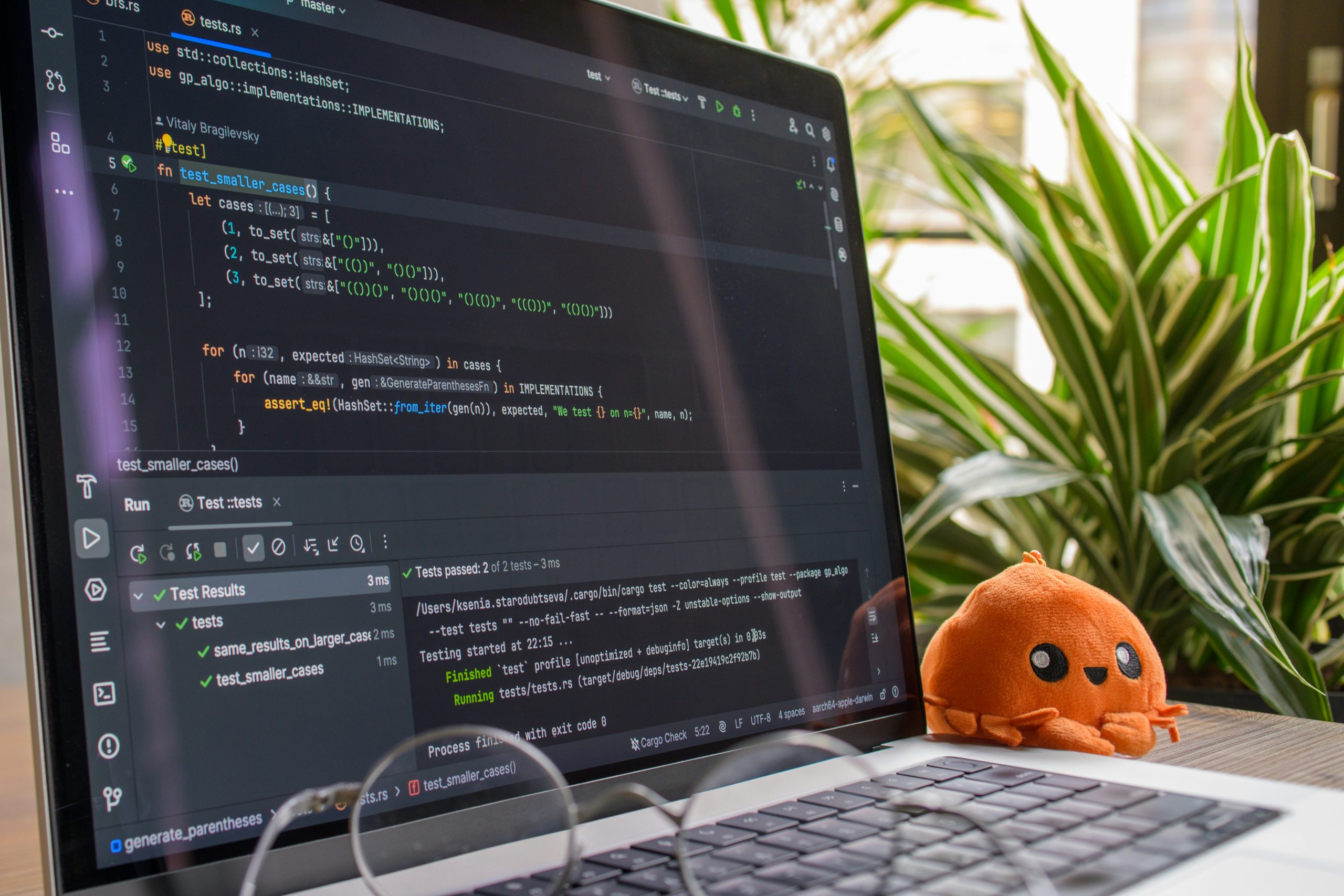
Best AI Coding Tools: Why AI Is Changing Software Development
Writing software once meant spending hours moving between documentation, a code editor, Stack Overflow, GitHub repositories, debugging tools, and the terminal. Although those resources are still important, the development process has changed considerably with the rise of artificial intelligence.
Today, an AI coding assistant can sit directly inside that workflow, helping developers write and understand code without constantly switching between different tools.
For example, instead of searching through forums for a solution to a programming problem, developers can describe what they are trying to accomplish and ask an AI tool to generate a starting point. They can also use it to explain unfamiliar functions, identify potential bugs, create tests, refactor repetitive code, or suggest alternative approaches.
However, this doesn’t mean developers have suddenly become unnecessary. In fact, the opposite is happening: developers are gaining another tool that can help them work more efficiently.
The most useful AI coding tools are designed to work alongside developers rather than simply replace them. GitHub, for instance, describes Copilot as an AI assistant that can help developers write, understand, review, and ship software, while newer agent-style features allow it to handle more complex tasks across a codebase.
As a result, AI coding assistants have become an increasingly important category of developer software in 2026.
With so many options now available, though, choosing the right tool can feel overwhelming. Some are designed primarily for autocomplete, while others can understand entire projects and perform multi-step tasks.
So, which are the best AI coding tools to consider? Let’s take a closer look.
Best AI Coding Tools at a Glance
| AI coding tool | Best suited for | Key strength | Typical workflow |
|---|---|---|---|
| GitHub Copilot | Developers and teams | GitHub integration and coding assistance | IDE, GitHub, CLI |
| Cursor | Developers who want an AI-first editor | Codebase understanding and agent workflows | Dedicated code editor |
| Claude Code | Terminal-focused developers | Agentic coding and complex tasks | Terminal and development workflow |
| OpenAI Codex | Developers using AI agents | Coding tasks and software development | Cloud, terminal and IDE workflows |
| Google coding tools | Developers in the Google ecosystem | Gemini-powered development assistance | IDE and Google ecosystem |
| AI code generators | Beginners and developers | Quickly creating code from prompts | Browser or IDE |
The important thing to remember is that there isn’t one AI coding tool that works perfectly for everyone.
For instance, a beginner building a small portfolio website may only need basic code generation and explanations. On the other hand, a professional developer working on a large production application may need project-level context, debugging, testing, code review, and agentic capabilities.
Therefore, the best choice ultimately depends on your experience, workflow, programming language, and the type of project you’re building.
AI Coding Tools vs AI Coding Assistants: What’s the Difference?
The terms AI coding tools and AI coding assistants are often used interchangeably. However, there is a useful distinction between them, particularly as AI software becomes more capable.
Traditionally, an AI coding assistant helps you while you are actively writing code. For example, it may:
- Complete a function as you type.
- Suggest the next line of code.
- Explain an error.
- Generate a small piece of code.
- Write a test.
- Suggest improvements to existing code.
AI coding agents, meanwhile, can take things a step further. Depending on the product and configuration, an agent may be able to:
- Understand a larger codebase.
- Create a plan for a development task.
- Modify several files.
- Run commands.
- Run tests.
- Investigate errors.
- Review changes.
- Make additional changes based on test results.
For example, GitHub Copilot now includes plan- and agent-style workflows that can analyze tasks, propose changes, work across files, and help validate the resulting code.
This distinction is important because the AI coding market is gradually moving beyond simple autocomplete. Instead, developers are increasingly getting tools that can understand a goal, break it into steps, make changes, and then check whether those changes work.
In other words, AI coding tools are becoming more like development partners than simple code suggestion tools.
Best AI Coding Tools for Developers in 2026
1. GitHub Copilot
GitHub Copilot remains one of the most recognizable AI coding assistants, largely because it fits naturally into the GitHub ecosystem.
Rather than forcing developers to completely change their existing workflow, Copilot can provide coding suggestions, answer questions about code, assist with development tasks, and support code review across supported environments.
GitHub also offers a free tier with limited usage, while its paid plans provide additional capabilities.
One of Copilot’s biggest advantages, therefore, is integration.
Developers who already rely heavily on GitHub can use AI assistance without having to completely rebuild the way they work. In addition, Copilot can operate across GitHub, supported IDEs, and command-line workflows.
That makes it particularly useful for developers who want AI assistance without moving away from familiar development tools.
Best for:
- Professional developers
- GitHub users
- Software development teams
- Developers working across multiple IDEs
- People who want AI integrated into an existing workflow
Why consider it:
- Strong GitHub integration
- Code completion
- Chat-based assistance
- Agentic workflows
- Code review capabilities
- Multiple supported AI models
Furthermore, GitHub supports multiple AI models within Copilot, giving developers more flexibility when choosing the type of model they want to use for different coding tasks.
2. Cursor
Cursor AI coding tools take a somewhat different approach.
Instead of simply adding AI features to an existing editor, Cursor is built around an AI-powered coding environment. Consequently, the AI becomes a more central part of the development workflow.
Its documentation highlights capabilities for understanding codebases, planning features, fixing bugs, reviewing changes, and connecting development workflows with external tools.
This becomes particularly useful when you’re working on a project containing many files.
For example, rather than asking an AI to generate one isolated function, you could give it a broader task such as:
“Add user authentication to this application and update the dashboard so logged-in users can see their profile.”
That type of request is much closer to a real development task because it may require changes across multiple parts of an application.
Best for:
- Developers building complete applications
- Full-stack developers
- Developers working with large codebases
- People who want an AI-first coding environment
Key features include:
- Codebase understanding
- Planning
- Agent workflows
- Bug fixing
- Code review
- MCP integrations
- Rules and customization
AI Coding Tools for Beginners
You don’t need to be an experienced software engineer to benefit from AI coding tools.
In fact, beginners may find them particularly useful because AI can explain unfamiliar programming concepts while allowing users to experiment with code at their own pace.
Suppose you’re learning JavaScript and come across a function you don’t understand. Rather than simply searching for a definition, you could ask an AI coding assistant:
“Explain this function line by line and show me a simpler version.”
As a result, programming can become much more interactive.
However, there is an important catch: beginners should avoid blindly copying AI-generated code.
Although AI can produce convincing code in seconds, that code may still contain:
- Bugs
- Security vulnerabilities
- Incorrect assumptions
- Outdated methods
- Poor architecture
- Unnecessary dependencies
Therefore, the best way to use AI while learning is to treat it as a knowledgeable assistant rather than an unquestionable authority.
Ask questions. Request explanations. Test the code. Most importantly, try to understand why the solution works.
Free AI Coding Tools Worth Considering
Cost is another important factor, particularly if you’re learning programming or experimenting with your first project.
Fortunately, several major AI coding tools provide free access or limited free tiers. However, the exact features and usage limits can change over time, so it’s always worth checking the current plan before signing up.
GitHub Copilot, for example, offers a Free plan with limited monthly usage, while its paid plans provide additional capabilities.
For beginners, free AI coding tools can be useful for:
- Learning HTML
- Learning CSS
- Practicing JavaScript
- Learning Python
- Building simple websites
- Debugging small projects
- Generating basic scripts
- Understanding programming concepts
Even so, “free” doesn’t necessarily mean unlimited.
Before choosing a tool, consider:
- Monthly usage limits
- Available AI models
- Supported editors
- Agent availability
- Context limits
- Commercial-use conditions
- Data and privacy settings
By checking these details beforehand, you can avoid choosing a tool that looks suitable initially but doesn’t actually fit your workflow.
AI Coding Tools for Web Development
Web developers are among the people who can benefit significantly from AI-assisted programming.
A typical web project may involve HTML, CSS, JavaScript, React, Next.js, Node.js, PHP, Python, SQL, APIs, databases, authentication, and deployment. Consequently, even relatively simple projects can involve a surprising amount of code.
An AI coding assistant can help connect many of these pieces.
For example, you might ask an AI coding tool to create a responsive navigation bar, explain why a CSS layout is breaking, write a database query, or convert a design into a React component.
This is particularly helpful for developers who work across both the front end and back end because they often need to switch between different languages and frameworks.
AI Coding Tools for HTML and CSS
For beginners, AI can make HTML and CSS considerably easier to experiment with.
You can ask an AI coding assistant to:
- Create a responsive landing page.
- Build a navigation menu.
- Create a pricing table.
- Improve mobile responsiveness.
- Explain CSS positioning.
- Fix spacing problems.
- Convert a design into HTML and CSS.
However, don’t stop at generating the code.
If you’re learning web development, understanding why the code works is much more valuable than simply receiving a finished answer. Over time, that understanding will make it easier to identify mistakes and write your own code.
AI Coding Tools for Python
Python is another area where AI coding assistants can be particularly useful.
Developers can use AI to:
- Explain Python syntax.
- Generate functions.
- Debug errors.
- Write tests.
- Work with APIs.
- Manipulate data.
- Create scripts.
- Explain libraries.
- Refactor existing code.
For beginners, Python can also be a relatively approachable language for learning AI-assisted programming.
Nevertheless, generated Python code should still be tested carefully, particularly when it interacts with files, databases, authentication systems, or external services.
For example, a script that looks correct may still mishandle user input or expose sensitive information. Therefore, testing and review remain essential.
AI Coding Tools for JavaScript and TypeScript
JavaScript and TypeScript development can become complicated quickly because developers often work with large dependency ecosystems and constantly evolving frameworks.
This is where contextual AI assistance can become especially useful.
AI coding tools can help developers:
- Create JavaScript functions.
- Convert JavaScript to TypeScript.
- Explain errors.
- Generate React components.
- Write API requests.
- Create tests.
- Refactor code.
- Find potential problems.
GitHub notes that Copilot works across numerous programming languages, with particularly strong assistance for languages including Python, JavaScript, TypeScript, Ruby, Go, C#, and C++.
As a result, developers who regularly move between different languages can use AI to reduce some of the repetitive work involved in switching between programming environments.
AI Coding Tools for Debugging
Debugging is another area where AI coding assistants can save developers considerable time.
Imagine seeing an error such as:
“TypeError: Cannot read properties of undefined.”
Instead of spending an hour searching through different forum posts, you can provide the error and relevant code to an AI assistant and ask it to explain:
- What caused the error.
- Which line is responsible.
- Why the problem occurred.
- How to fix it.
- How to prevent the same problem in the future.
More advanced AI coding environments can also work with project files and development context. Therefore, they may be able to provide more relevant suggestions than a general-purpose chatbot working without access to the project.
Still, there’s an important rule to remember: never assume an AI-generated fix is automatically correct.
Test the solution, inspect the changes, and make sure the fix doesn’t introduce another problem elsewhere in the application.
AI Coding Tools for Code Review
Writing code is only one part of software development. Just as importantly, that code needs to be reviewed before it becomes part of a production application.
AI coding assistants can help identify:
- Potential bugs
- Repeated code
- Poor naming
- Logic problems
- Missing tests
- Security concerns
- Possible performance issues
GitHub has expanded Copilot beyond code completion into code review and security-oriented workflows, including capabilities designed to identify and help address potential vulnerabilities.
Consequently, developers can use AI as another layer of analysis before code reaches production.
However, AI review should complement human review rather than automatically replace it. A human developer still needs to understand the application’s requirements and determine whether a suggested change actually makes sense.
AI Coding Tools for Building Websites From Prompts
One of the most interesting developments in AI software is the ability to describe an application using natural language.
Instead of starting with:
“I need to create a React component.”
You might say:
“Build a responsive dashboard with a sidebar, user statistics, transaction history, and a mobile navigation menu.”
The AI can then generate an initial implementation.
Because of this, prompt-based development is becoming increasingly attractive to:
- Startup founders
- Freelancers
- Designers
- Entrepreneurs
- Students
- Beginner developers
It can turn an idea into a working prototype much faster than starting completely from scratch.
However, the first version is rarely the final version.
Once the prototype exists, developers still need to test it, improve its architecture, fix edge cases, optimize performance, and address security issues. Therefore, AI can dramatically shorten the distance between an idea and a prototype without eliminating the need for software development expertise.
How to Choose the Best AI Coding Tool
Rather than choosing an AI coding assistant simply because it is popular, consider how you actually work.
What programming languages do you use?
If you primarily use Python, for example, your requirements may differ from someone building React applications with TypeScript.
Which editor do you use?
Some AI coding tools integrate directly into popular IDEs, while others provide their own AI-first coding environment.
Therefore, consider whether you want AI to fit into your current setup or whether you’re willing to change your editor.
Do you want autocomplete or an AI agent?
This is another important distinction.
If you simply want suggestions while typing, a traditional coding assistant may be enough. However, if you want AI to plan and execute larger tasks across multiple files, you’ll probably want stronger agent capabilities.
How large are your projects?
A small personal website doesn’t require the same level of project understanding as a large application with hundreds of files.
As your projects become more complex, features such as codebase context, planning, testing, and multi-file editing become increasingly important.
How important is privacy?
Finally, consider privacy.
If you’re working with proprietary code, business information, customer data, or sensitive repositories, investigate the provider’s data-handling policies, security controls, and organizational settings before exposing your code to an AI service.
Best AI Coding Tools Compared
Here’s a simple way to match different development needs with the type of AI software that may be useful:
| What you need | AI coding tool type to consider |
|---|---|
| Learn programming | AI coding assistant |
| Generate small snippets | AI code generator |
| Complete code while typing | AI coding assistant |
| Understand an existing project | AI coding agent |
| Build features across multiple files | Agentic coding tool |
| Debug errors | AI coding assistant |
| Review code | AI code review tool |
| Build prototypes quickly | AI app/code generator |
| Work from the terminal | Terminal-based AI coding agent |
| Work directly inside an IDE | IDE-integrated AI coding assistant |
The table also highlights an important point: AI coding tools aren’t all designed to solve the same problem.
Some focus on speed. Others focus on context. Meanwhile, agent-based products increasingly focus on completing entire development tasks.
How to Use AI Coding Tools Effectively
The quality of an AI-generated answer often depends on the quality of the instructions you provide.
For example, telling an AI:
“Fix this.”
doesn’t give it much information to work with.
Instead, you could say:
“This is a React application using TypeScript. The login form submits successfully, but the dashboard doesn’t load after authentication. Review the relevant files, identify the likely cause, explain the problem, and propose a fix without changing the authentication architecture.”
Now the AI knows:
- The framework
- The programming language
- The problem
- The expected behavior
- The restriction
Consequently, it has a much clearer starting point.
You can also ask the AI to work in stages rather than making several changes at once.
A useful AI coding workflow
- Explain the problem clearly.
- Ask the AI to inspect the relevant code.
- Ask it to create a plan.
- Review the plan before implementation.
- Allow it to make the changes.
- Run the relevant tests.
- Review the changes.
- Test the application yourself.
This approach keeps the developer in control while allowing AI to handle repetitive or time-consuming work.
Common Mistakes When Using AI Coding Tools
AI can make programming faster. Unfortunately, it can also make bad programming faster if it isn’t used carefully.
Therefore, avoid these common mistakes.
1. Copying code without understanding it
If you don’t understand what the code does, debugging it later can become much harder.
2. Giving AI too little context
A vague prompt often produces a generic solution. The more relevant context you provide, the easier it becomes for the AI to understand the actual problem.
3. Accepting every suggestion
AI-generated code should be reviewed before becoming part of a production application.
4. Ignoring security
Never assume generated authentication, payment, database, or authorization code is automatically secure.
Security requires deliberate review and testing.
5. Skipping tests
A program running without an obvious error doesn’t necessarily mean it works correctly.
Testing is still essential.
6. Allowing excessive permissions
Agentic tools may interact with files, terminals, repositories, or external services. Therefore, give them only the access they actually need for the task.
Are AI Coding Tools Replacing Programmers?
This is probably one of the biggest questions surrounding AI coding software.
The answer, however, is more complicated than simply saying yes or no.
AI can already perform many tasks that programmers previously completed manually. It can generate code, explain existing code, modify files, create tests, and help investigate bugs.
Nevertheless, software development involves far more than producing lines of code.
Developers still need to:
- Understand requirements.
- Design systems.
- Make architectural decisions.
- Validate business logic.
- Review AI-generated code.
- Protect sensitive information.
- Test applications.
- Manage production systems.
- Understand users.
- Decide what should actually be built.
In other words, AI is changing the nature of programming rather than making programming knowledge irrelevant.
A developer who understands software development can use AI more effectively because they can recognize when a generated solution makes sense—and when it doesn’t.
The Future of AI Coding Tools
The direction of AI coding software is becoming increasingly interesting.
The development process is moving from:
autocomplete → chat → code generation → agents → multi-step software development
Instead of simply suggesting the next line of code, newer systems can understand a goal, create a plan, modify files, run checks, and iterate on the result.
GitHub’s current Copilot features demonstrate this transition, with plan mode, agent mode, background work, and code-review capabilities becoming part of the broader development workflow.
Similarly, Cursor has positioned its platform around agents that can understand repositories, plan features, fix bugs, and review changes.
As these capabilities continue to develop, the AI coding tool of the future may look less like an autocomplete box and more like a digital development teammate.
That doesn’t necessarily mean developers will have less to do. Instead, the work may shift toward higher-level decisions, architecture, validation, and product thinking.
Best AI Coding Tools: What Should You Choose?
Ultimately, the right AI coding tool depends on what you’re trying to accomplish.
If you’re already deeply invested in GitHub, GitHub Copilot provides a broad development workflow around GitHub and supported coding environments.
If you want an AI-first editor with strong project-level capabilities, Cursor is worth investigating.
Meanwhile, developers who prefer terminal-based workflows may find an agentic coding tool built around the command line more suitable.
And if you’re just learning programming, starting with a free or limited AI coding assistant can be a practical way to understand AI-assisted development before committing to a subscription.
Rather than looking for the tool with the longest feature list, focus on the one that fits your workflow, budget, programming experience, and project requirements.
Frequently Asked Questions About AI Coding Tools
What are AI coding tools?
AI coding tools are software applications that use artificial intelligence to assist with programming. They can generate code, complete code, explain programming concepts, find bugs, write tests, refactor projects, and increasingly perform multi-step development tasks.
What is the best AI coding tool in 2026?
There isn’t one AI coding tool that is ideal for every developer. Instead, the right choice depends on your programming language, development environment, project size, budget, and whether you want basic coding assistance or more autonomous agent-based features.
Are there free AI coding tools?
Yes. Several major AI coding platforms offer free plans or limited free access. However, the available features and usage limits can vary, so check the provider’s current pricing page before choosing a tool.
Can AI coding tools build a complete website?
They can generate substantial portions of a website or application, especially when given detailed instructions. However, generated software still needs testing, debugging, security review, and human oversight before it should be considered production-ready.
Are AI coding tools good for beginners?
Yes. AI coding assistants can be particularly useful for beginners because they can explain programming concepts, provide examples, and help troubleshoot errors. However, beginners should continue learning programming fundamentals rather than relying entirely on generated code.
Can AI coding tools replace programmers?
AI coding tools can automate many programming tasks. However, software development also involves requirements, architecture, testing, security, product decisions, and maintenance. Human developers therefore remain important for directing, reviewing, and validating software development.
Are AI coding tools safe?
They can be useful, but safety depends on how they are configured and used. Developers should review generated code, protect sensitive information, understand data-handling policies, restrict permissions where appropriate, and test applications before deployment.
What is an AI coding assistant?
An AI coding assistant is software that helps developers write and understand code. Common capabilities include code completion, code generation, debugging assistance, explanations, testing, and code review.
Final Thoughts on AI Coding Tools
The biggest change brought by AI coding tools isn’t simply that machines can now write code.
Instead, it’s that the distance between an idea and a working prototype is becoming much smaller.
Someone who previously needed hours to research an unfamiliar programming problem can now describe the issue and receive an explanation within seconds. Likewise, a developer working on a large application can delegate repetitive tasks while focusing more attention on architecture, product decisions, and the overall user experience.
However, faster coding doesn’t automatically mean better software.
The best results come from combining AI’s speed with human judgment. Use AI to explore ideas, generate repetitive code, investigate problems, and accelerate development. Then, just as importantly, review, test, and understand what it produces.
Ultimately, that combination—not simply pressing a button and accepting everything AI generates—is what makes AI coding tools genuinely valuable.